
AI video generation tools has changed the way I think about video editing.
When I started working with AI video tools, I was mostly curious about what they could actually create. After working as a video editor for around three years and working on projects across different niches, I gradually started using AI for practical things—creating B-roll, generating short shots, testing visual ideas, and creating footage that would otherwise take a lot of time or money to produce traditionally.
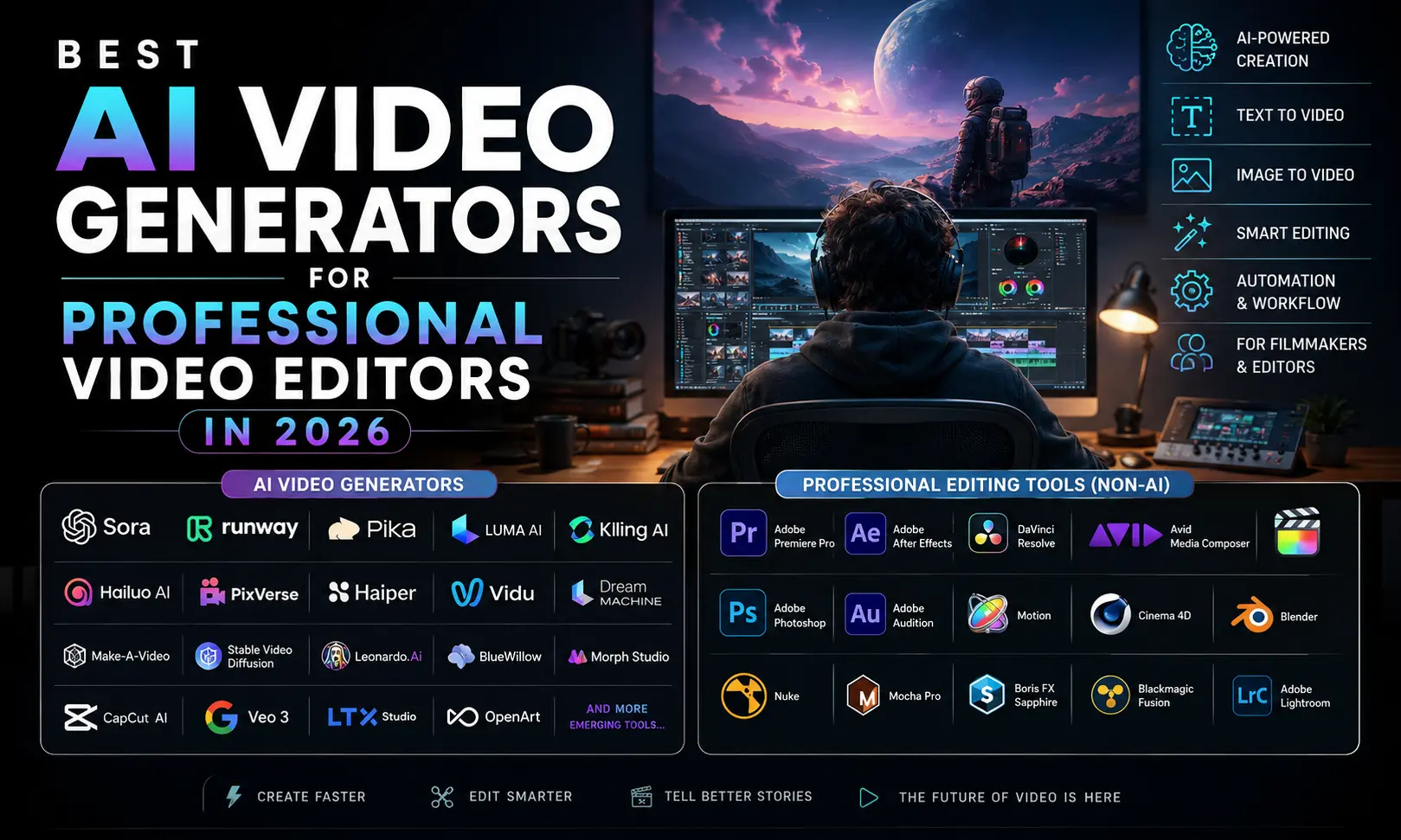
There are now a lot of AI video generators available, but after actually using several of them, I don’t think there is one tool that is perfect for every editor.
Here are some of the tools that have stood out to me.
Gemini Omni — My Favourite for Short AI Videos
Out of the AI video tools I have used, Gemini Omni is one of my favourites.
The main reason is the balance between cost, quality and usability. When I need a short shot—especially something around 10 seconds—I have found it surprisingly useful.
What I like most is that the generated video generally feels well structured. I can give it an idea and direction, and instead of getting something that looks completely random, I can often get a shot that actually has a place in my edit.
For professional editors, that matters.
I don’t need AI to impress me with a demo. I need it to give me a usable clip that I can put on my timeline.
That’s where Gemini Omni works particularly well for me. Google’s current Gemini documentation describes Omni as its latest AI video generation model, supporting text, images and video as inputs.
Seedance — Powerful but Sometimes Inconsistent
I have also created videos using Seedance, and it can produce some genuinely good results.
When the prompt and reference material work well together, the output can look impressive. Seedance 2.0 supports text, image, audio and video inputs, which gives creators quite a lot of flexibility when building a shot.
However, I have noticed that the quality isn’t always consistent. Sometimes Seedance gives me a really good-looking shot, while another generation can look softer or less detailed.
That’s something I’ve experienced with AI video generation in general. You might create one amazing shot and then generate five more versions before getting something usable.
Still, Seedance is definitely a tool worth trying if you’re working with AI-generated video.
Kling — One of the Most Reliable Options
Kling AI is another tool I have used and liked.
From my experience, Kling consistently produces good-looking videos. I particularly like it when I already have an image or visual reference and want to turn that still image into motion.
This can be extremely useful for editors.
Instead of spending hours looking through stock footage trying to find a very specific shot, I can sometimes create something closer to what I actually imagined.
Kling was developed by Kuaishou and is designed for generating complex motion and realistic video from prompts.
It doesn’t mean stock footage is no longer useful. It simply gives me another option when the exact shot I need doesn’t exist.
HeyGen — Useful for AI Presenter Videos
I have also worked with HeyGen, especially for videos that require AI presenters or avatars.
I wouldn’t personally use an AI avatar for every type of video. For films, emotional storytelling and projects where real human performance matters, I would still choose traditional production.
But for explainers, educational videos, corporate content and certain social media projects, HeyGen can make production considerably faster.
HeyGen currently combines AI avatars, voice, B-roll and video creation in one platform, which makes it useful for content that needs to be produced quickly.
It is one of those tools where the value isn’t necessarily about making a cinematic film. It’s about solving a specific production problem efficiently.
CapCut and Premiere Pro Still Have Their Place
AI video generation is only one part of the editing process.
CapCut is a great option for quick social media editing and short-form content. It also includes AI-powered features such as automated subtitles, AI video creation and avatar tools.
On the other hand, Adobe Premiere Pro is still one of the tools I prefer when I need more control over a professional editing workflow.
Premiere Pro is also adding more AI-powered capabilities. Its current AI features include tools for object masking, generative clip extension, media search and other workflow improvements.
But even with all these developments, I don’t see AI video generators replacing editing software.
I still need control over my timeline, audio, transitions, pacing, colour, effects and final export.
Also Read: Best Ai Tools For Beginners
Which AI Video Generator Should You Choose?
If you’re a professional video editor, I wouldn’t recommend choosing a tool simply because somebody says it is the “best.”
Think about what you actually need.
Gemini Omni is my personal choice for affordable, short and well-structured AI shots.
Seedance is great when I want to experiment with more creative generations, although the consistency can vary.
Kling AI is a strong option for image-to-video and creative shots.
HeyGen makes sense when I need an AI presenter or avatar.
And CapCut and Premiere Pro remain important because generating footage is only the beginning of the editing process.
After using these tools myself, I don’t believe AI video generators are going to replace the main artists, filmmakers or editors creating films.
AI can generate a shot.
It can generate a character.
It can generate a background.
It can even generate an entire sequence.
But creating a film is something different.
A good film needs storytelling, emotion, timing, performance, cinematography, sound design and thousands of creative decisions. A beautiful AI-generated clip doesn’t automatically make a good film.
That’s probably the biggest thing I’ve learned from using AI in my own editing workflow.
Sometimes AI saves me hours. Sometimes I generate ten versions and don’t use any of them. And sometimes it gives me exactly the shot I was looking for.
That’s what makes these tools exciting.
I don’t think the future is AI versus video editors.
I think it’s going to be video editors who know how to use AI versus those who don’t.
The technology can generate the footage, but the editor still decides what that footage means.
Frequently Asked Questions
What are the best AI video generators in 2026?
Some of the AI video tools worth exploring include Gemini Omni, Seedance, Kling AI and HeyGen. The best choice depends on whether you need cinematic footage, image-to-video generation, short B-roll or AI presenters.
Is AI video generation replacing video editors?
Not completely. AI can speed up parts of video production, but professional editing still requires storytelling, pacing, sound design, colour, visual decisions and creative direction.
Is Gemini Omni good for video generation?
From my experience, Gemini Omni is particularly useful for creating short videos, including around 10-second shots. Its combination of cost, quality and structured output makes it one of my preferred options.
Can AI-generated videos be used in professional projects?
That depends on the specific AI platform, its licensing terms and how the generated material is being used. Professional editors should always check the current commercial-use terms of the tool before using AI-generated footage in paid client work.