
AI tools have become one of the easiest ways to start working smarter online. A few years ago, people needed advanced software skills for writing, designing, editing, research, coding, or marketing. But now, many beginner-friendly AI tools can help you do these tasks with simple prompts.
As a creator, I feel this change is very useful, especially for students, bloggers, YouTubers, video editors, small business owners, and freelancers. You do not need to be a technical expert to start. You only need to understand which tool is useful for which task.
In this article, we will look at the best free AI tools for beginners, what they are useful for, and how you can use them in a practical way.
What Are Free AI Tools?
Free AI tools are apps, websites, or software platforms that use artificial intelligence and give users a free plan or free access to basic features. These tools can help with writing, image editing, video creation, research, grammar checking, idea generation, presentations, coding, and productivity.
A simple one-line meaning is: free AI tools are smart online tools that help you complete digital tasks without paying in the beginning.
Most free AI tools also have paid plans. The free version is usually enough for learning, testing, and small tasks. But for higher usage, advanced models, more exports, premium templates, or extra storage, you may need to upgrade later.
Why Beginners Should Use AI Tools
Beginners should use AI tools because they reduce confusion. When you are starting something new, like writing a blog, editing a video, creating a poster, or preparing a presentation, the first step is usually the hardest. AI tools can give you a starting point.
For example, a student can use AI to understand a difficult topic. A creator can use AI to generate video ideas. A shop owner can use AI to create social media captions. A freelancer can use AI to improve emails and proposals.
The biggest benefit is that AI saves time. It does not mean you should stop learning the real skill. It means AI can support your learning and make your work faster.
Best Free AI Tools for Beginners
1. ChatGPT
ChatGPT is one of the most popular AI tools for beginners. You can use it for writing, brainstorming, learning, coding help, content ideas, summaries, emails, scripts, and daily problem-solving. The official ChatGPT page describes it as an AI chatbot that can help users explore ideas, solve problems, and learn faster. (ChatGPT)
For beginners, ChatGPT is useful because the interface is simple. You type your question, and it gives you an answer. You can also ask follow-up questions, ask it to simplify the answer, or request examples.
As a creator, I find ChatGPT useful for blog outlines, YouTube script ideas, title suggestions, captions, and content planning. But I always recommend editing the final output in your own style. AI can help you start, but your human touch makes the content better.
Best for: writing, ideas, learning, content planning, coding basics, and productivity.
2. Google Gemini
Google Gemini is Google’s AI assistant. It can help with writing, planning, brainstorming, summarizing information, and answering questions. Google also describes the Gemini app as a standalone AI assistant that supports text, voice, images, and other multimodal inputs. (Gemini)
Gemini is a good choice for beginners who already use Google services. It feels natural for users who are comfortable with Google Search, Gmail, Docs, and Android phones.
You can use Gemini to prepare study notes, generate ideas for Instagram posts, write basic emails, explain concepts, or plan small projects. It is also helpful when you want quick answers in simple language.
Best for: study help, idea generation, planning, summaries, and general AI assistance.
3. Claude
Claude by Anthropic is another beginner-friendly AI assistant. It is useful for writing, research, coding, document understanding, and deep explanations. Anthropic’s pricing page lists a free plan for Claude, while paid plans offer more usage and extra features. (Anthropic)
Claude is especially good when you want clear explanations and thoughtful writing. It can help with long-form content, study material, business writing, and creative drafts.
For beginners, Claude can be useful if you want an AI assistant that explains things in a calm and structured way. You can ask it to rewrite content, simplify a topic, create a plan, or review your writing.
Best for: long writing, explanations, research help, document work, and creative thinking.
4. Microsoft Copilot
Microsoft Copilot is Microsoft’s AI assistant. It can help with search, writing, planning, learning, shopping research, and productivity. Microsoft says Copilot provides a free baseline experience, while paid Microsoft 365 plans unlock more advanced AI tools and higher usage limits. (Microsoft)
Copilot is useful for beginners because it connects well with Microsoft’s ecosystem. If you use Windows, Edge, Bing, Word, Excel, or PowerPoint, Copilot may feel familiar.
You can use it to write emails, summarize information, plan travel, understand topics, or create simple content ideas. It is also useful for people who want AI help along with web-based answers.
Best for: productivity, search help, everyday questions, Microsoft users, and planning.
5. Perplexity
Perplexity is an AI-powered answer engine. It is useful when you want answers with sources. The official Perplexity website describes it as a free AI-powered answer engine that gives real-time answers, and its help center says the free plan includes basic searches with limited access to Pro searches and file uploads. (Perplexity AI)
This tool is very helpful for beginners who do research. If you are writing a blog, preparing a school project, or learning about a new topic, Perplexity can help you find information with references.
For creators and bloggers, this is useful because research is important. You should not blindly copy AI answers, but tools like Perplexity can help you find starting points and sources faster.
Best for: research, source-based answers, learning, blogging, and topic exploration.
6. Canva
Canva is one of the best free design tools for beginners. It has AI-powered features for design, writing, image generation, templates, and creative editing. Canva promotes tools like Magic Design as a free AI design tool, and its AI assistant page says Canva’s free drag-and-drop design tools help users create designs quickly. (canva.com)
Canva is perfect for people who do not know professional design software. You can create posters, Instagram posts, YouTube thumbnails, resumes, presentations, logos, and marketing graphics.
As a content creator, Canva is one of the most useful tools for quick visual work. If you are running a YouTube channel, blog, or local business page, Canva can help you make professional-looking designs without advanced design skills.
Best for: thumbnails, posters, social media posts, presentations, resumes, and basic design.
7. Grammarly
Grammarly is a writing assistant that helps with grammar, spelling, clarity, tone, and rewriting. Grammarly says users can sign up for free, and its AI chat page says free users can use AI chat to draft, refine, and explore ideas. (Grammarly)
This tool is very useful for beginners who write in English. Many Indian students, bloggers, freelancers, and professionals want to improve their English writing. Grammarly helps you correct mistakes and make your writing clearer.
You can use it for emails, blog posts, assignments, resumes, LinkedIn posts, proposals, and social media captions. It is not only for grammar correction; it also helps you sound more professional.
Best for: grammar checking, email writing, blog editing, resumes, and professional communication.
8. CapCut
CapCut is a beginner-friendly video editing tool with many AI features. CapCut describes itself as an AI-powered photo and video editor for YouTube, Instagram, and other platforms, and it offers tools like AI video generation, text-to-speech, AI image generation, templates, and smart editing features. (CapCut)
For new creators, CapCut is one of the easiest ways to start video editing. You can make reels, shorts, YouTube videos, captions, transitions, and simple promotional videos.
Its AI features are useful for creators who want to save time. For example, auto captions can reduce manual subtitle work. Text-to-speech can help with voiceover-style content. Templates can help beginners make videos faster.
Best for: reels, shorts, captions, video editing, text-to-speech, and social media content.
9. NotebookLM
NotebookLM is Google’s AI research and note-taking tool. It can analyze your sources, help you understand complex information, and organize ideas. Google’s help page describes NotebookLM as an AI-powered research assistant that helps users refine and organize ideas, upload sources, and work with their own material. (Google NotebookLM)
This tool is very useful for students, researchers, bloggers, and professionals. You can upload documents, notes, PDFs, or other study material, and then ask questions based on those sources.
For beginners, NotebookLM is better than a normal chatbot when you want answers from your own documents. It can help you create summaries, study guides, FAQs, and explanations from the material you provide.
Best for: study notes, research, document understanding, summaries, and learning from uploaded sources.
10. Adobe Express
Adobe Express is a design and content creation tool from Adobe. Its free plan includes basic content creation tools, limited generative AI credits, and free assets. Adobe also promotes Adobe Express as a tool for creating images, videos, social posts, and other content with AI support. (Adobe)
Adobe Express is useful for beginners who want to create social media graphics, posters, short videos, presentations, and brand content. It is simpler than advanced Adobe tools like Photoshop or Premiere Pro.
For creators and small businesses, Adobe Express can be helpful when you want clean visuals quickly. It is good for people who want easy design tools with Adobe’s creative ecosystem.
Best for: social media graphics, posters, short videos, brand content, and simple design work.
How to Choose the Right Free AI Tool
The best AI tool depends on your work. Do not try to use every tool at once. Start with one or two tools based on your need.
If you want writing help, start with ChatGPT, Claude, Gemini, or Grammarly. If you want research, use Perplexity or NotebookLM. If you want design, use Canva or Adobe Express. If you want video editing, start with CapCut. If you use Microsoft apps daily, try Copilot.
A simple method is to ask yourself: “What task do I want to make easier?” Once you know the task, choosing the tool becomes simple.
Benefits of Free AI Tools
The first benefit is cost saving. Beginners can test AI tools without paying money in the beginning. This is helpful for students, new creators, and small businesses.
The second benefit is speed. AI can create first drafts, summaries, captions, ideas, and designs much faster than manual work.
The third benefit is confidence. When beginners get support from AI, they feel less stuck. They can learn by asking questions and improving their work step by step.
Free AI tools also help people learn digital skills. You can practice writing, designing, editing, researching, and planning without needing a full professional setup.
Limitations of Free AI Tools
Free AI tools are useful, but they have limits. Most free plans come with usage limits, fewer advanced features, lower priority access, or limited exports. For example, tools like Perplexity, Claude, Adobe Express, and Canva clearly separate free access from paid plans or premium limits. (Perplexity AI)
AI tools can also make mistakes. They may give outdated, incomplete, or incorrect information. Always verify important details, especially for health, finance, legal, academic, and news-related topics.
Privacy is another important point. Do not upload passwords, bank details, private documents, client data, or confidential business information into random AI tools.
Also, do not depend completely on AI. Use it as a helper, not as a replacement for your own learning and creativity.
Free AI Tools for Creators
For creators, free AI tools are extremely useful. You can use ChatGPT or Claude for video scripts, Canva for thumbnails, CapCut for editing, Grammarly for captions, and Perplexity for research.
As a creator, I see AI as a workflow assistant. It helps with the rough work, like brainstorming topics, creating outlines, improving captions, and editing faster. But the final content should still have your voice, experience, and personal understanding.
For example, AI can suggest a YouTube title, but you should choose the title based on your audience. AI can write a blog draft, but you should add examples, clarity, and real value. AI can make a thumbnail idea, but you should adjust it based on your brand style.
The best creator workflow is simple: use AI for speed, and use your creativity for quality.
My Personal View on Free AI Tools
My personal view is that beginners should definitely try free AI tools. They are one of the easiest ways to learn modern digital work. Whether you are a student, freelancer, blogger, video editor, or small business owner, AI can save time and improve your output.
But I also believe beginners should not become lazy because of AI. If you use AI only to copy-paste, your skill will not grow. But if you use AI to learn, practice, and improve, it can become a powerful assistant.
For me, the best use of AI is not replacing humans. The best use is helping humans work smarter.
FAQs About Best Free AI Tools for Beginners
Which is the best free AI tool for beginners?
ChatGPT is a good starting point for most beginners because it can help with writing, ideas, learning, and general questions. But the best tool depends on your task.
Which free AI tool is best for design?
Canva is one of the best free AI design tools for beginners. Adobe Express is also a good option for simple design and content creation.
Which free AI tool is best for video editing?
CapCut is a strong choice for beginners who want to edit reels, shorts, captions, and social media videos.
Which AI tool is best for research?
Perplexity is useful for web-based research with sources. NotebookLM is useful when you want AI to answer based on your own uploaded documents.
Are free AI tools really free?
Yes, many AI tools offer free plans. But free plans usually have limits. Advanced features, higher usage, premium templates, or better models may require paid plans.
Can beginners use AI tools without technical knowledge?
Yes, most modern AI tools are made for normal users. You can start by typing simple instructions in plain English.
Are AI tools safe to use?
Trusted AI tools are generally safer than unknown websites, but you should still be careful. Do not share private, financial, or confidential information unless you fully trust the platform and understand its privacy policy.
Conclusion
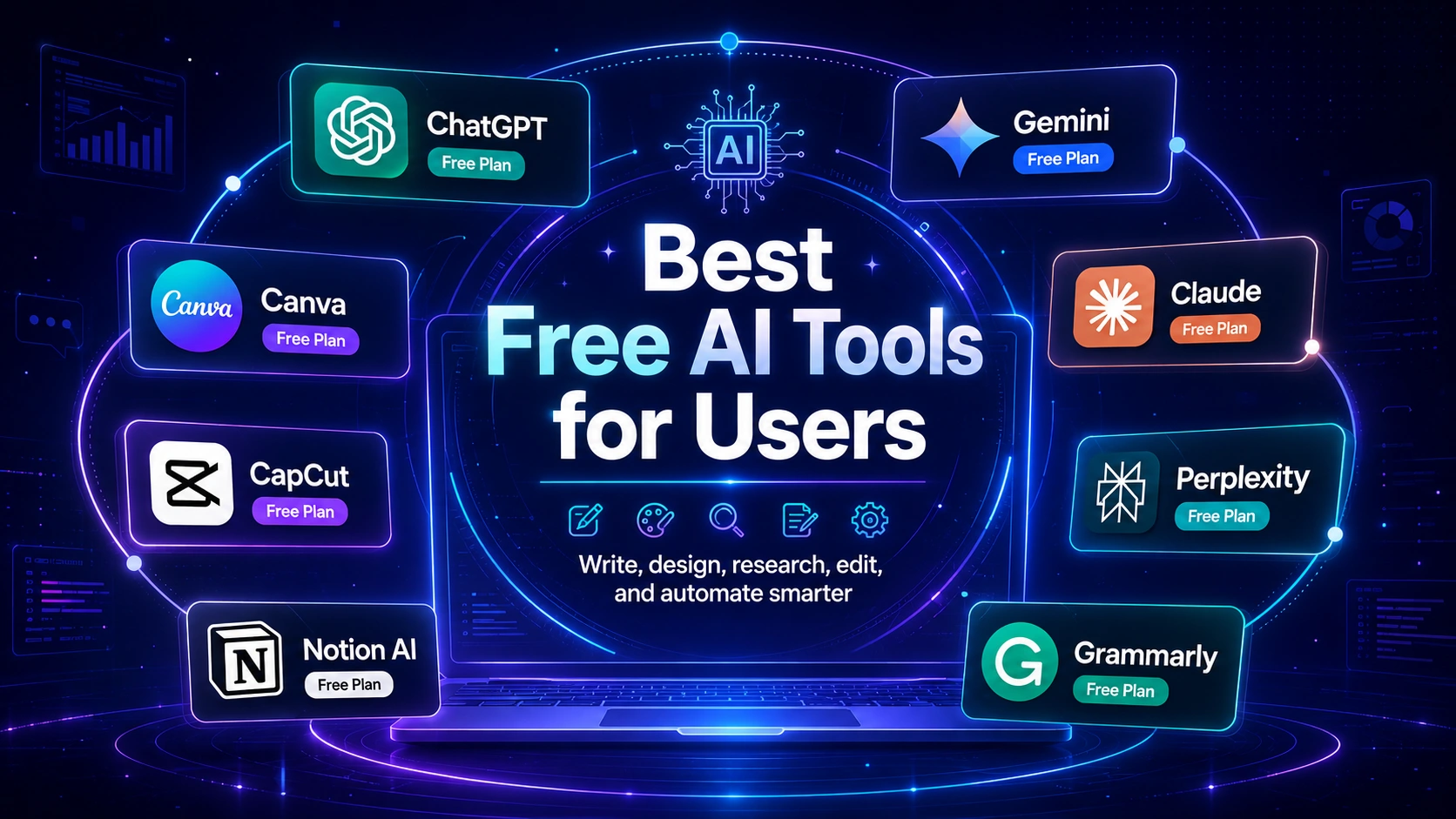
Free AI tools are a great starting point for beginners who want to learn digital skills, create content, improve writing, edit videos, design graphics, or do research. Tools like ChatGPT, Google Gemini, Claude, Microsoft Copilot, Perplexity, Canva, Grammarly, CapCut, NotebookLM, and Adobe Express can make everyday digital work easier.
The simple meaning is this: free AI tools are smart assistants that help you start faster and work better without paying in the beginning.
For beginners, the best approach is to start small. Choose one AI tool for writing, one for design, one for research, or one for video editing. Learn it properly, practice with real tasks, and slowly build your digital skills.
AI tools are popular because they make difficult work simple. But the best results will always come when you combine AI support with your own creativity, learning, and human judgment.